Submit completed work
Once you have accepted an assignment, the editor opens and you work through the segments. Submitting is a separate, deliberate step — it tells whoever assigned the work that you're finished.
Prerequisites
- An assignment in Accepted status. See accept or decline an assignment.
Steps
-
Open the editor:
- From the project page, on your task row, click Start Editing. Once you have edited at least one segment the button reads Continue Editing.
- From the assignment page, click Open Translation Editor.
The editor opens in a new browser tab.

-
Work through the segments. See edit segments and accept suggestions for how the editor itself works, plus translation memory matches and glossary terms.
There is no Submit button inside the editor. Your work is saved segment by segment as you go, so you can close the tab and come back to it as often as you like.
Save every segment you have reviewed, including the ones you agreed with and did not change — that save is what records the segment as reviewed. Press Ctrl+U to jump to the next segment you have not saved yet.
-
When you're done, go back to the project page or the assignment page. Both show your progress as a percentage of segments edited.
-
Click Submit (project page) or Submit for Review (assignment page).
Submitting before you've finished
If any segments are still unedited, Taia asks you to confirm with a Submit Incomplete Task? dialog showing how far along you are. If you haven't edited anything at all, it says so explicitly.
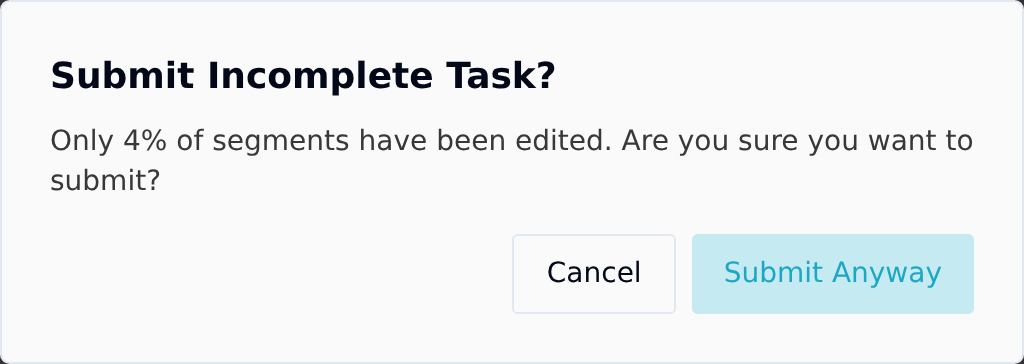
You can still go ahead. The warning exists to catch an accidental click, not to block you — sometimes most of the AI output is genuinely fine and only a few segments needed touching.
Progress counts segments you saved, whether or not you changed them. A segment the AI got right still needs the save — otherwise it does not count and the percentage understates how far you actually are. See what counts as a reviewed segment.
After you submit
Your assignment moves to Submitted and whoever assigned it is notified by email and in the app.
Submitting is final. You cannot save any more segments on that task, you cannot reopen the editor to make one more change, and there is no unsubmit. Make sure you have saved everything you meant to save before you click it.
A Continue Editing button does stay on the submitted task row, but it does not give the work back — the editor will not accept changes from you once you have submitted. If something needs correcting after the fact, tell whoever assigned the work, and they can add a second task to the same job for you.
See what happens after a task is submitted.