Become a Taia linguist (vendor)
Are you a translator, editor or proofreader who would like to work with Taia? Set up a vendor profile. Our Vendor Management team uses it to review your skills and match you to projects. It takes about ten minutes.
Before you start: you are in the right place
Linguists sign up the same way as clients. After signup you'll see the AI translation home screen, with a file upload area and free monthly credits. That is normal. You haven't signed up for the wrong thing, and you don't need to buy anything. The vendor profile is one step further in, and the steps below take you there.
1. Create a free account
Go to translate.taia.io and sign up, either with Google or with an email address and password.
Sign up through translate.taia.io/signup?vendor instead and you'll be taken straight to your new vendor profile. You can then skip to step 5.
2. Open your profile
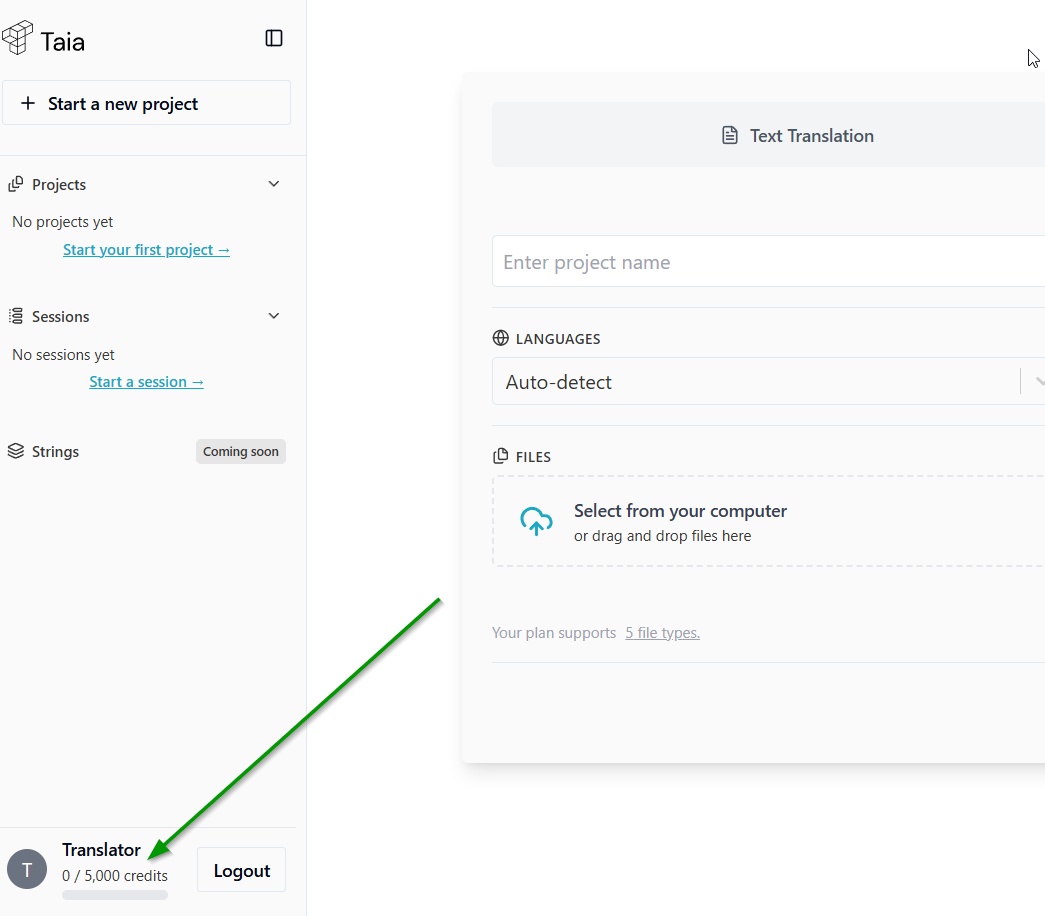
Click your name in the bottom left corner.
3. Open Profile Settings
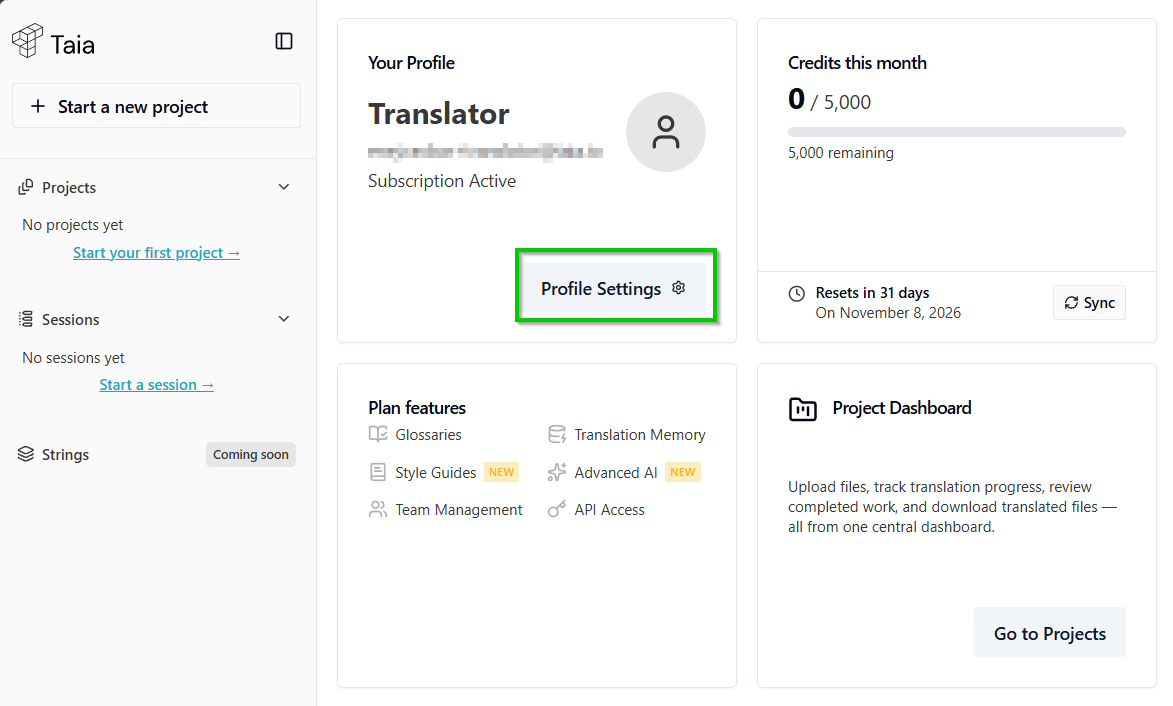
Your profile page opens. Click Profile Settings.
4. Click Get Started under Become a Vendor
In the Profile Settings window, open the Account tab (on a phone, the tab shows only a key icon). Under Become a Vendor, click Get Started.
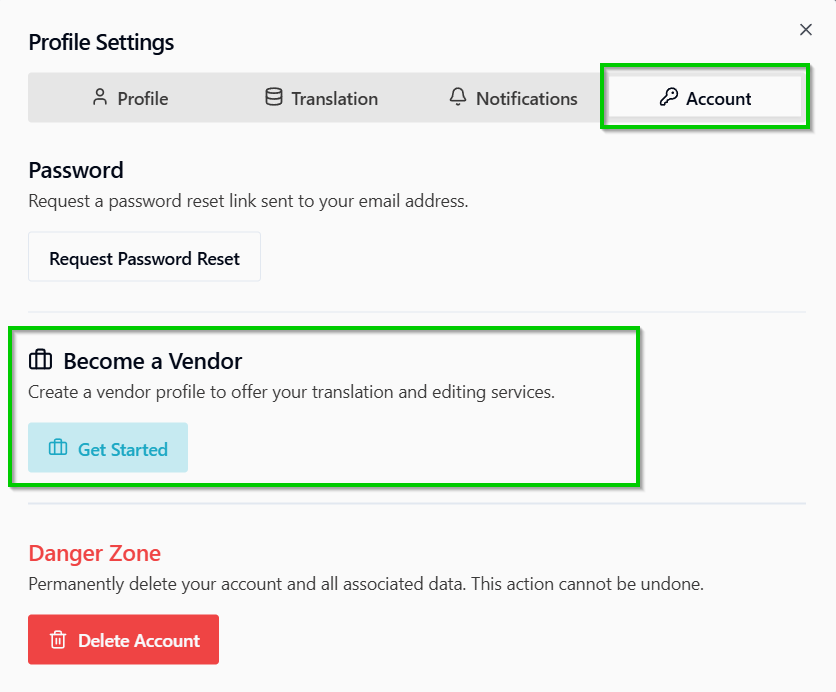
This section only appears on personal accounts. If you joined a company's organization on Taia, it is hidden. Sign up with a separate email address for your freelance work.
5. Fill in your vendor profile
The vendor profile has three tabs. A progress bar at the top (Basic info, Rates, Experience) shows what you've completed.
Vendor settings
Add your full name, phone, a short description of yourself, your native language, timezone and country. Native language and Country are required. Click Create profile to save. You are taken to the next tab.
Language combinations
Add every language pair you work in, with the service and your rate.
- Click Add language pair to add one at a time, or Bulk add to add several source languages, target languages and services together.
- For each pair, choose the source language, target language and service:
- MTPE: machine translation post-editing
- Translation (no MT)
- Revision
- Proofreading
- Optionally pick a subject, for example Legal, Medical or Technical.
- Enter your rate in EUR per word.
A few tips:
- Add both directions if you work both ways, for example English to German and German to English. Each direction is a separate pair.
- Add regional variants separately where they matter, for example English (UK) and English (US).
- Each service is its own row. If you do both translation and revision, add both with their own rates.
At least one language pair is needed for us to match you to assignments.
Professional experience
Add your education, your LinkedIn profile URL and your experience level, then click Save experience. Upload your CV and any certificates here too. They help us verify your profile faster.
Your experience level starts as beginner. Change it to match your experience before you save.
What happens next
Once your profile is complete, our Vendor Management team reviews it and gets in touch if we're currently onboarding linguists with your skill set. You won't receive assignments until your profile has been approved.
You can come back and update your profile at any time from the same place. Once you have a vendor profile, the Account tab shows Manage Vendor Profile instead of Get Started.
When you are approved and work comes in, you'll be notified in the app (the bell icon, top right) and by email.