Your first professional translation project
Goal: Submit a file for professional human translation and receive a certified translated document.
Time: About 10 minutes to set up; turnaround depends on the service tier and file length.
You'll need: A Taia account. Payment is required to place an order.
Step 1 — Create a project
Go to translate.taia.io and sign in. On the Home page, upload your file, set source and target languages, and click Submit Project. You'll be taken to the project page automatically.
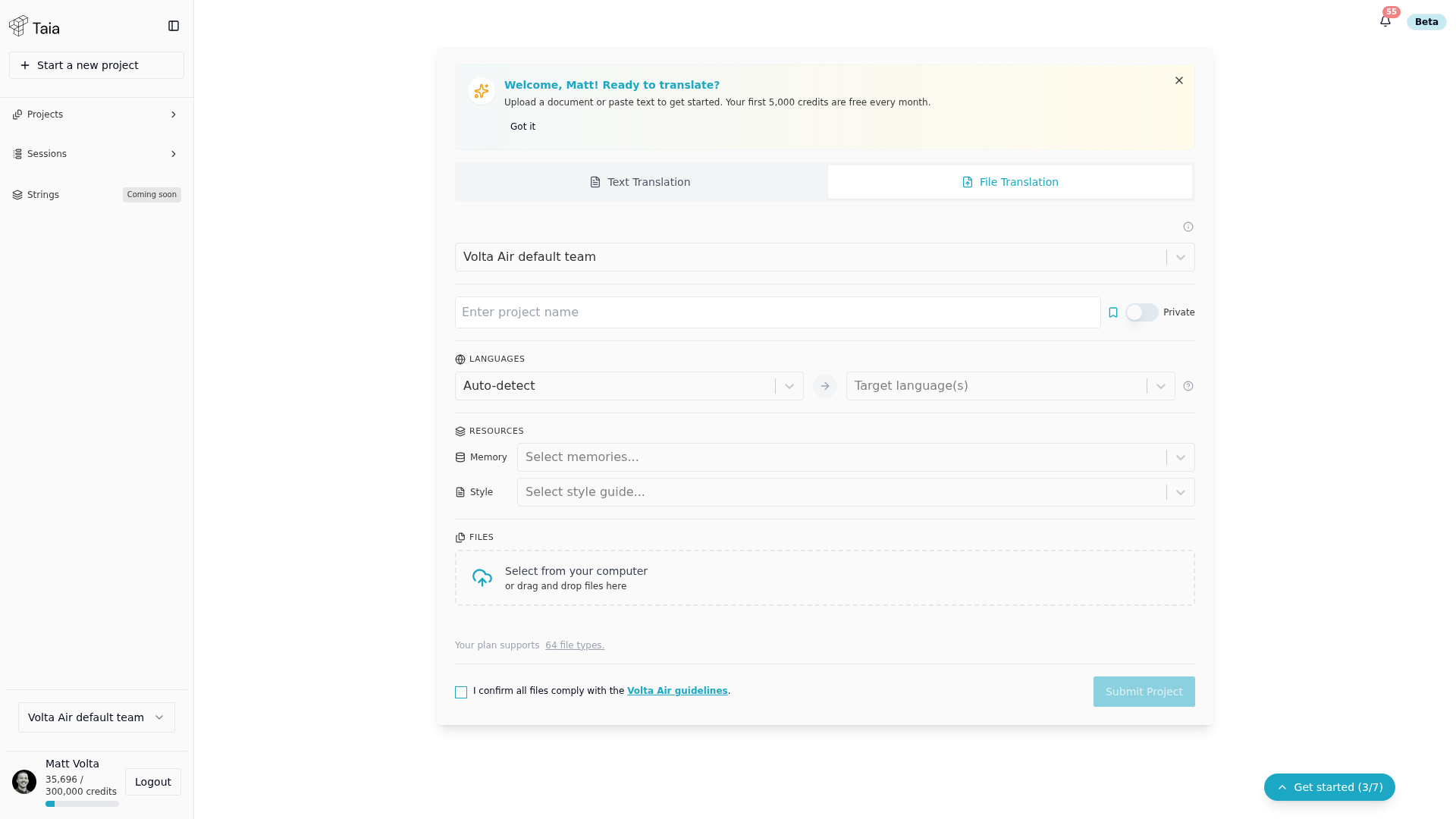
If your project already exists, open it from the Projects list in the sidebar and skip to Step 2.
Step 2 — Choose Professional Localization
On the project page, click Professional Localization (or Get Quote).
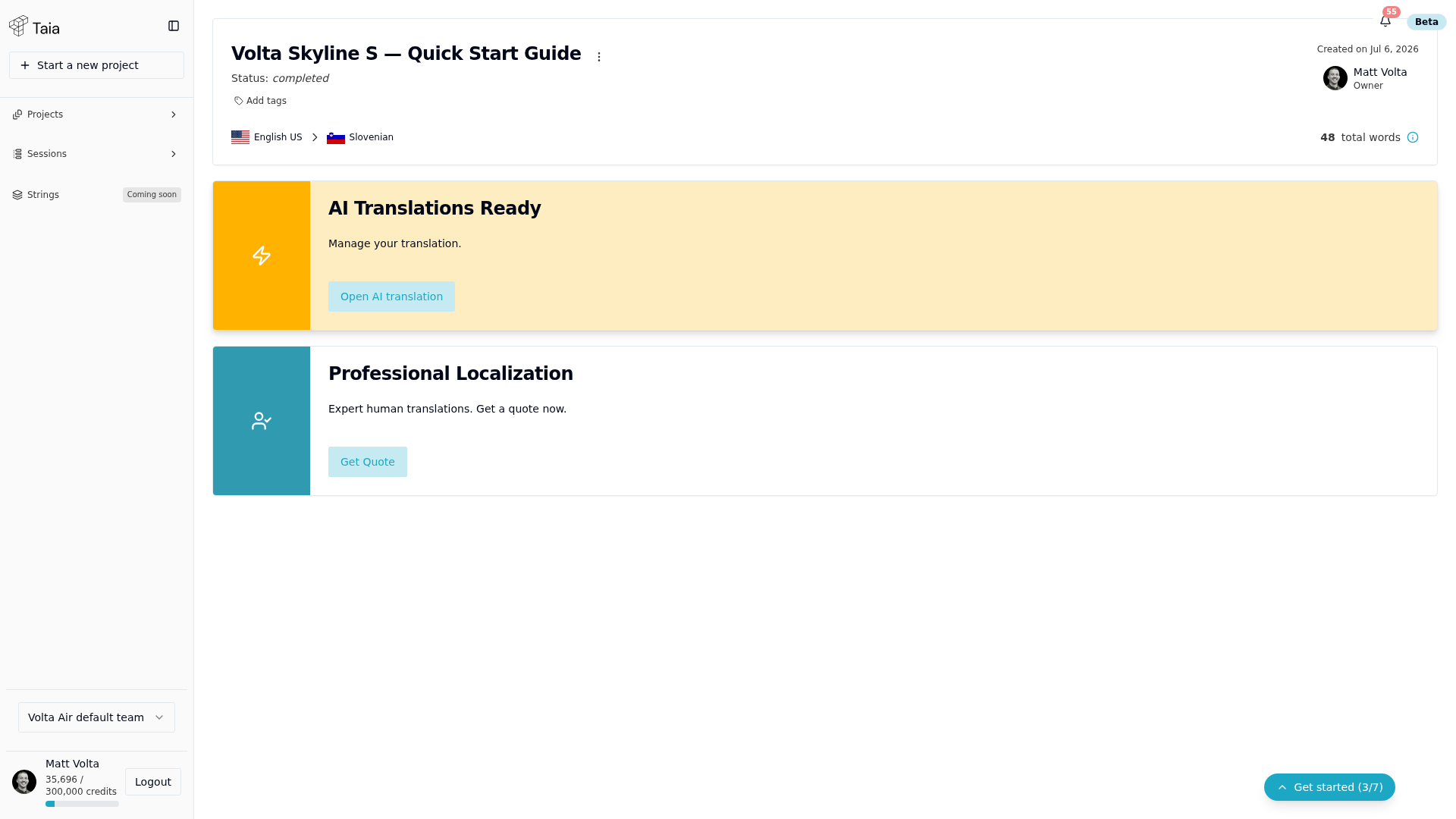
You'll be taken to the analysis results page.
Step 3 — Review the word count
There's no separate analysis page — the project header shows the breakdown directly: total words, payable words (after TM/repetition discounts), and % payable.
Step 4 — Choose a service tier and review the quote
Click Get Quote. This opens a single Service / Delivery / Instructions wizard with a running Order Summary alongside it — tier selection and the quote total are on the same screen, not separate steps.
Taia offers three quality tiers:
| Tier | Best for |
|---|---|
| Essential | Internal content, first drafts, high-volume projects where speed matters |
| Enhanced | Customer-facing content, marketing, product copy |
| Ultimate | Legal, regulated, and certified documents requiring maximum accuracy |
Select the tier per language. The Order Summary updates live with the discounted total.
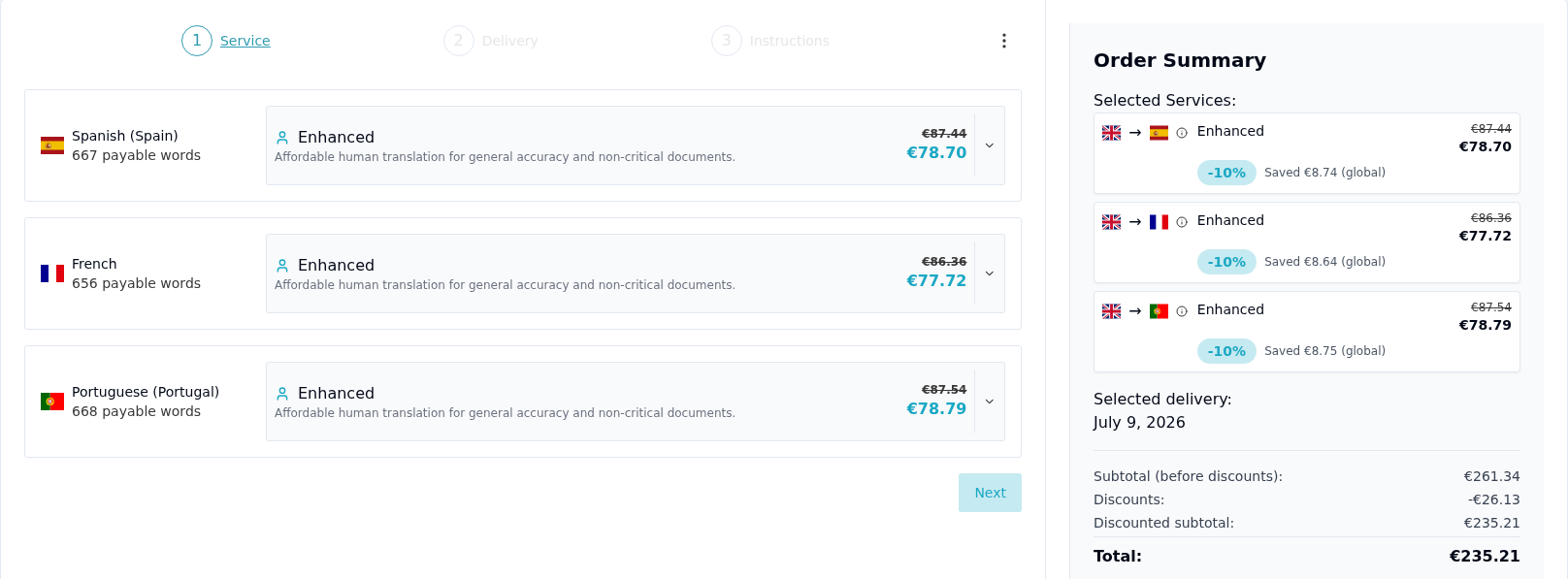
When you're ready, scroll to the bottom of the Order Summary and click Proceed to checkout, which sits below the total.
On the checkout page, select your payment method:
- Credit card — pay now via Stripe
- Invoice — available for verified billing accounts; contact Taia to activate
- Balance — if your billing account has a pre-loaded balance
Click Pay (or Place Order) to confirm.
Step 6 — Track your order
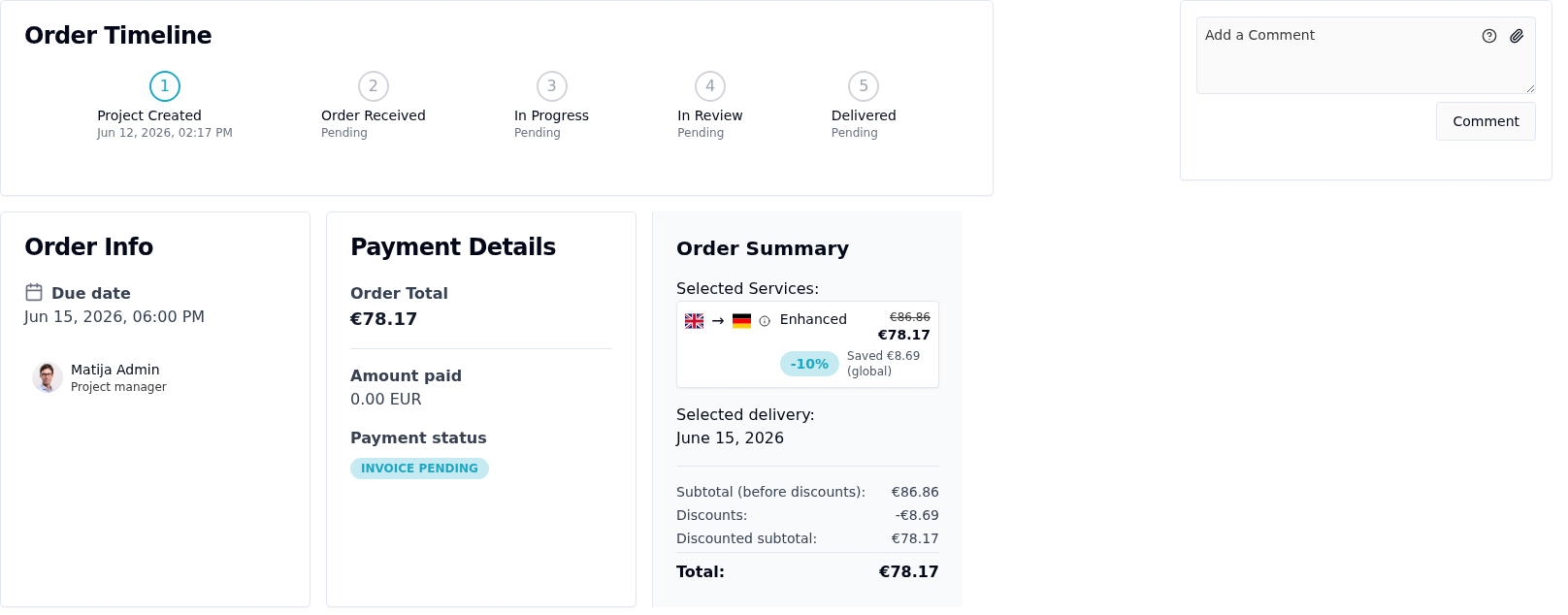
After payment, your project shows an Order Timeline (Project Created → Order Received → In Progress → In Review → Delivered), plus Order Info, Payment Details, and Order Summary panels. A Taia project manager will assign the files to qualified linguists. You'll receive a notification when translation is complete.
Step 7 — Download the translated files
When you receive the completion notification, open your project and click Download next to each language.
[SCREENSHOT: Completed order with download buttons]
What's next?
- Choose the right quality tier — detailed breakdown of what each tier includes.
- Provide feedback on a project to improve future translations.
- Understand your invoice to reconcile the charge.