Provide feedback on a Professional project
After a Professional translation is delivered, you can review it and provide feedback or request revisions. This is especially useful for the first few projects with a new language pair, to align the linguists with your style and terminology preferences.
How to review the translation
- Open your project once you receive the completion notification.
- Click Download to get the translated files.
- Review the translated content in your preferred tool (Word, InDesign, your CMS, etc.).
Provide feedback via comments
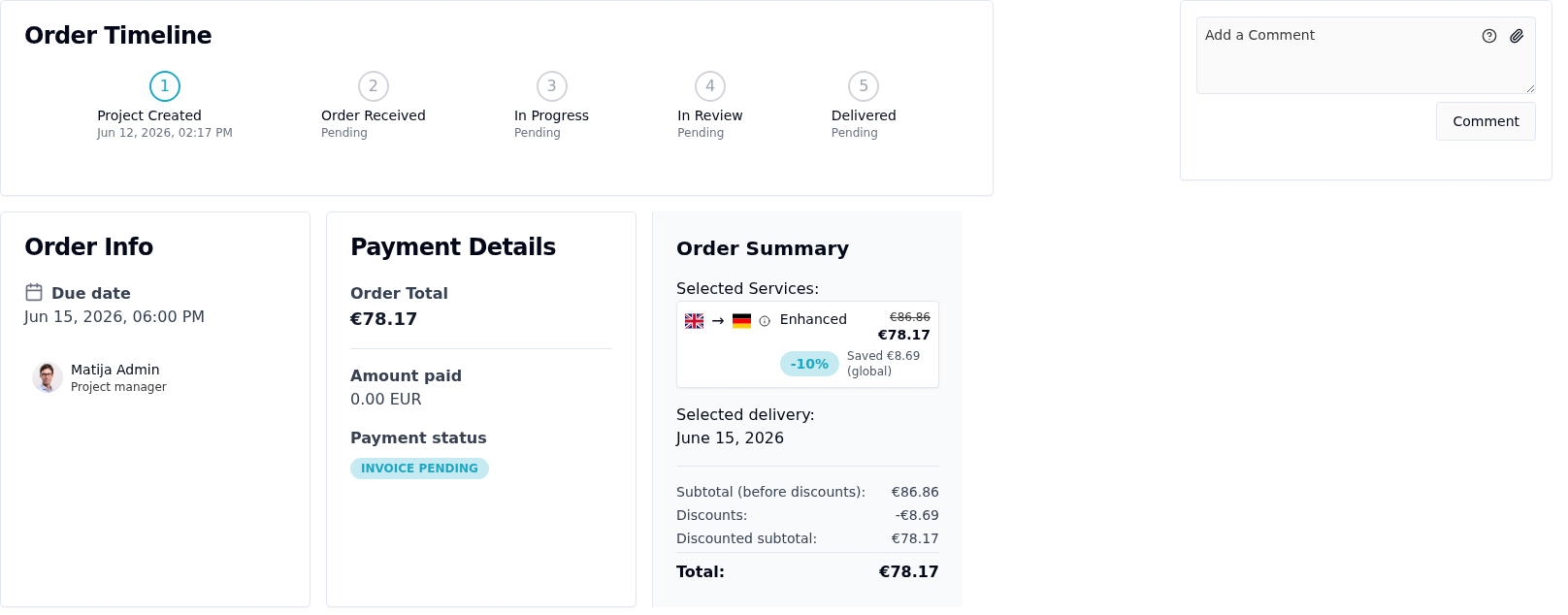
- On the order page, find the Add a Comment panel.
- Type your feedback — be specific about what you'd like changed and why. You can attach a file via the paperclip icon.
- Click Comment.
Your comment is routed to the Taia project manager who can pass it to the assigned linguists.
Request a revision
If the translation needs significant corrections:
- In your message, clearly state the sections that need revision and describe the expected output.
- Reference specific terminology or style guide rules if applicable.
- The project manager will review your feedback and coordinate any necessary revisions.
Tips for effective feedback
- Be specific: "The word 'Dashboard' should always remain in English per our glossary" is more actionable than "the terminology is wrong".
- If you have a glossary, make sure it's attached to the project for future orders.
- Consistent feedback over several projects will train the linguists to your preferences and improve subsequent translations.
Related
- Create a glossary — enforce terminology so you don't need to flag it repeatedly
- Create a Professional translation project