Create a Professional translation project
This guide covers creating a project and submitting it for professional human translation. For a full walkthrough, see Your first professional project.
Prerequisites
- A Taia account.
- A file to translate.
- A billing account or payment method (required to place an order).
Steps
- On the Home page, upload your file, set source and target languages, and click Submit Project.
- On the project page, check the total/payable word count in the header, then click Professional Localization or Get Quote.
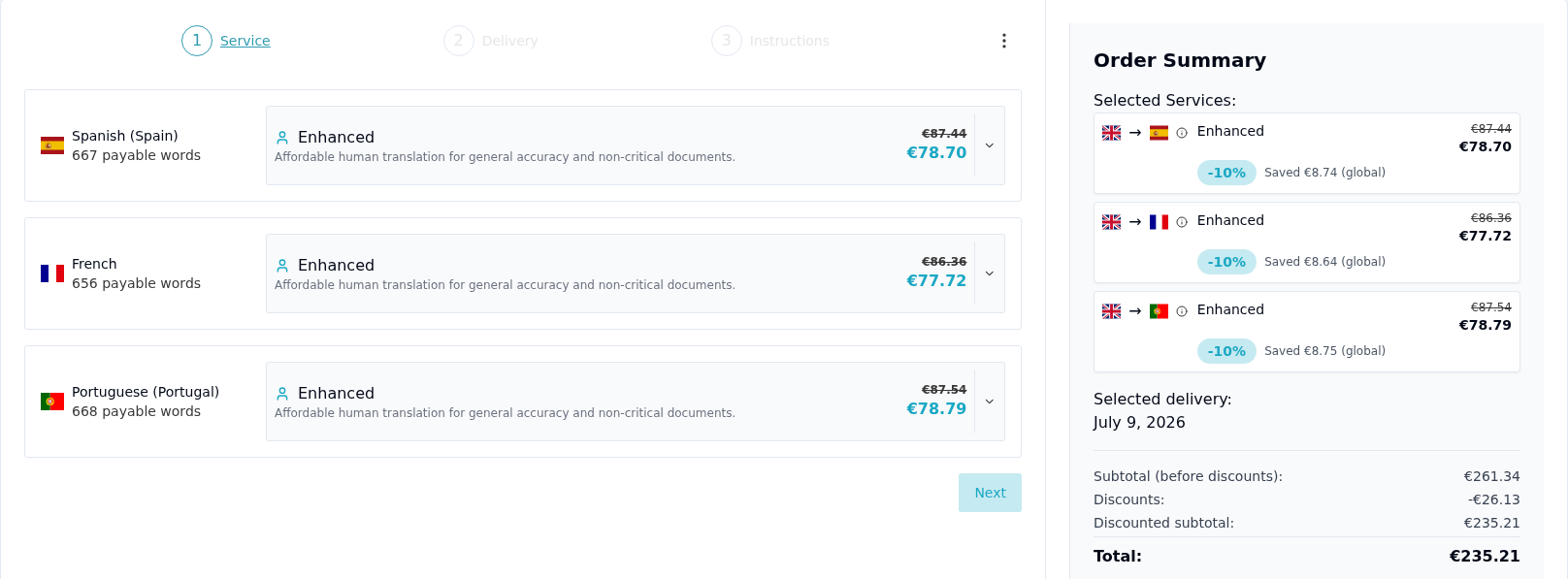
- This opens a Service / Delivery / Instructions wizard with a live Order Summary. Select a service tier per language: Essential, Enhanced, or Ultimate — the summary updates the total as you choose.
- Click through Delivery and Instructions, then Proceed to checkout.
- Choose your payment method and complete payment.
- Monitor the order status (Project Created → Order Received → In Progress → In Review → Delivered) from your project page. You'll receive a notification when translation is complete.