Download a project's source files
The source files are the original files you uploaded to the project. You can download them again at any time, for example to send them to a colleague or to check what was submitted. Translated files are downloaded separately, once the translation is done.
Anyone who can open the project can do this. If you're a linguist working on a task, the source files appear on your assignment page instead, one link per file. They show once the project manager turns on Share Source Files with Vendors in the project menu, and stay while your assignment is open.
Open the source files
- Open the project.
- Click the ⋮ button next to the project name.
- Click Show source files.
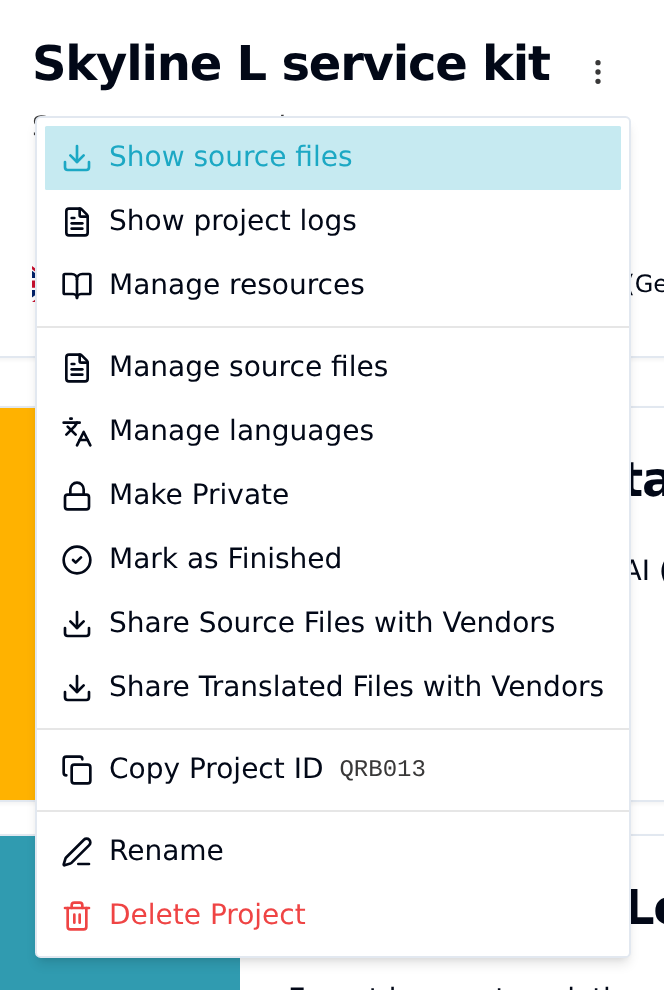
Download one file or all of them
The Source Files dialog lists the project's source files.
- Click Download next to a file to get just that one.
- With two or more files, click Download all as ZIP to get them all in one archive.
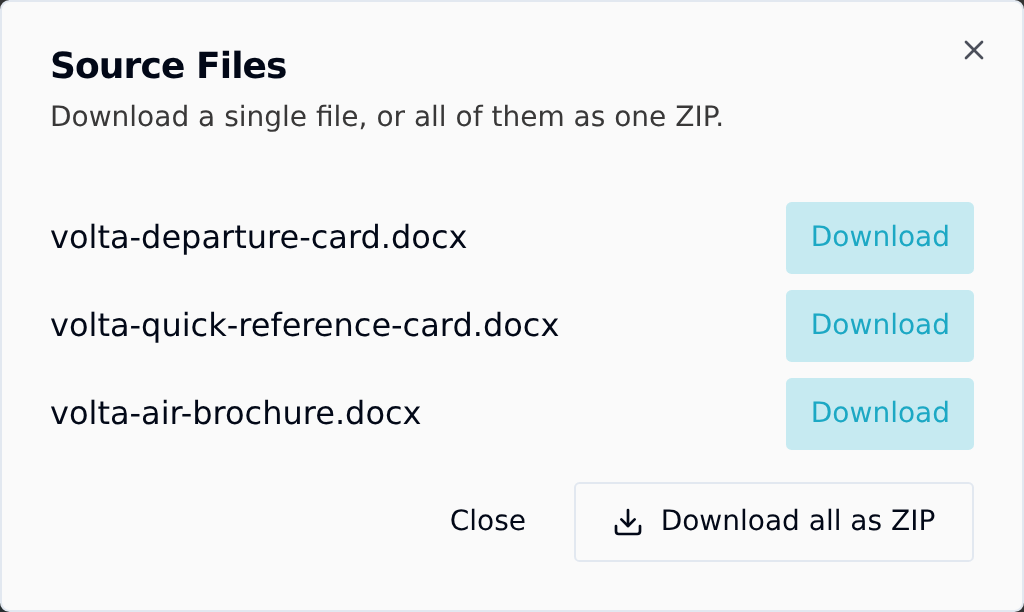
While Taia packs the files, the button reads Preparing ZIP... and a notice says Preparing your ZIP.... When it's ready, the notice changes to Your ZIP of N source files is downloading. and the download starts on its own.
You can close the dialog while the ZIP is being prepared. The download still starts when it's ready, as long as you stay on this page.
What's in the ZIP
- Every current source file in the project. If you replaced a file through Manage source files (available until you place an order), the ZIP has the new version, not the old one.
- The original file names. Two files with the same name are both kept: the second one is renamed, for example
manual (2).docx.
If a file can't be included, Taia still downloads the ZIP with everything else and tells you which file is missing. Download that one with its own Download button. If no file can be packed, or the ZIP takes longer than five minutes, you see a message instead, and you can try again or download the files one by one.