What happens after a task is submitted
Submitting is the one step in Translation Studio that does not go backwards. This page says what it does, for both people involved.
If you are the reviewer: finish first, then submit
When you click Submit on the project page, or Submit for Review on your assignment page, your assignment moves from Accepted to Submitted and your editing is over.
- You cannot save any more segments on that task.
- You can still open the editor, but only to read: no more changes.
- There is no unsubmit, and no way to ask for the task back yourself.
So treat Submit as handing the work in, not as a progress marker. Save everything you mean to save first. If you are not sure you have, use Ctrl+U in the editor to walk through whatever is left. See what counts as a reviewed segment.
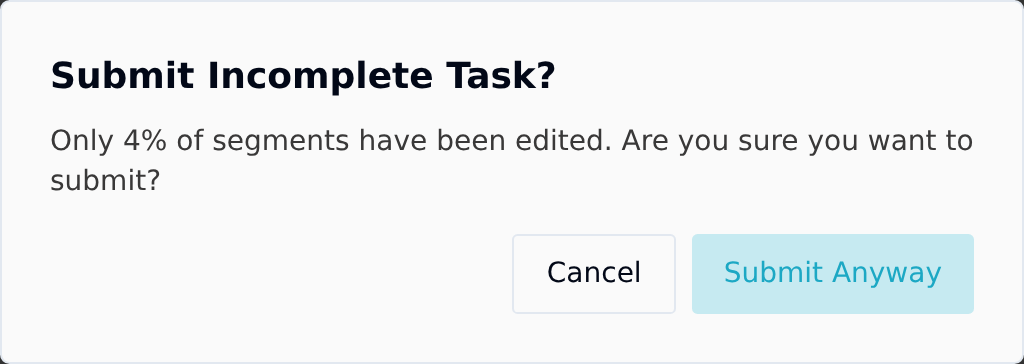
Taia does warn you. If the task is below 100%, a Submit Incomplete Task? dialog appears before anything is submitted, saying how much you have done, for example "Only 4% of segments have been edited." (On the Assignments page the same warning is titled Submit Incomplete Work?.) Choose Cancel to go back, or Submit Anyway to hand it in. You can still go ahead, since sometimes most of the AI output is genuinely fine and only a few segments needed touching, but read the number before you confirm it.
Submit for Review on a single assignment's page works differently: it shows a short checklist instead of your progress, whatever the percentage, so check your progress on that page or in the editor before you use it.
Reading your work and its comments afterwards
Comments often arrive after you have handed the work in: a question from the manager, a note on a term. You can still read them and answer.
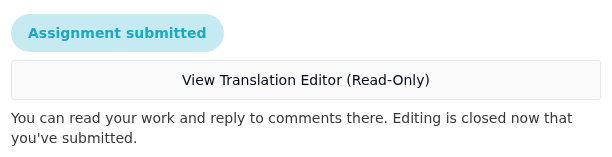
- On your assignment page, click View Translation Editor (Read-Only), under the Assignment submitted badge.
- On the project page, the submitted task row has a View (Read-Only) button.
Either one opens the editor in read-only mode. You see your translation and every comment thread on it, and you can reply to comments. Editing is turned off, so nothing you do there changes the translation. If something does need changing, say so in a comment or tell whoever assigned the work.
If you are the manager: submitted work cannot change under you
This is the half that matters if you are publishing what comes out.
Once an assignment is Submitted, that person can no longer alter the translation. What you review is what you download. Nothing shifts between the moment they hand it in and the moment you build the files.
On the project page, the task's Status reads Submitted (with a tick) instead of In Progress once nobody else on the task is still working on it, so you can see which work is waiting for you. Review it with Preview on the job row, which opens the editor read-only, then download the edited files when you are happy.
Late corrections: add another task
A reviewer will eventually come back with "one more thing" after submitting. That is normal, and it has a defined answer.
Add a second task to the same job. On the project page, the job row's button reads Add Task once the job already has one. Create it, assign it to whoever is making the correction, and they get a fresh editor on the same content.
This is better than an undo would be:
- The submitted work stays exactly as it was submitted, so the record of who signed off on what survives.
- The new round is tracked separately, with its own status, progress and deadline.
- The rebuilt files always carry the latest saved translation, so the correction reaches the download without any extra step.
Taia suggests a sensible next type when you add one — Post-Edit AI Translation first, then Revision, then Proofreading — but you can pick whichever fits. See assign editing work to a teammate.
Why there is no send-back button
Translation Studio has no formal approve or reject step, by design. A manager reviews by reading the result in Preview and either downloading it or asking for another pass. There is no queue of pending approvals to keep on top of, and no state where work sits waiting for a click.
If you need enforced sequencing and formal sign-off, that is Professional Localization, where a Taia project manager runs the workflow for you.