Import a TMX file
If you have translation memories from a previous tool — Phrase, Memsource, memoQ, SDL Trados, or any other CAT tool that exports TMX — you can import them directly into Taia.
Prerequisites
- A Translation Memory already exists in Taia. Don't have one? Create a TM first.
- Your file is in TMX format (
.tmx). This is the industry-standard format that all major CAT tools can export.
Steps
- In the sidebar, click Translation Memory and open the TM you want to import into.
- Click the ⋮ (more actions) menu in the top-right corner and select Import TMX.
- Select your
.tmxfile and click Upload. - Taia parses the file and shows how many translation units will be imported.
- Click Confirm to start the import.
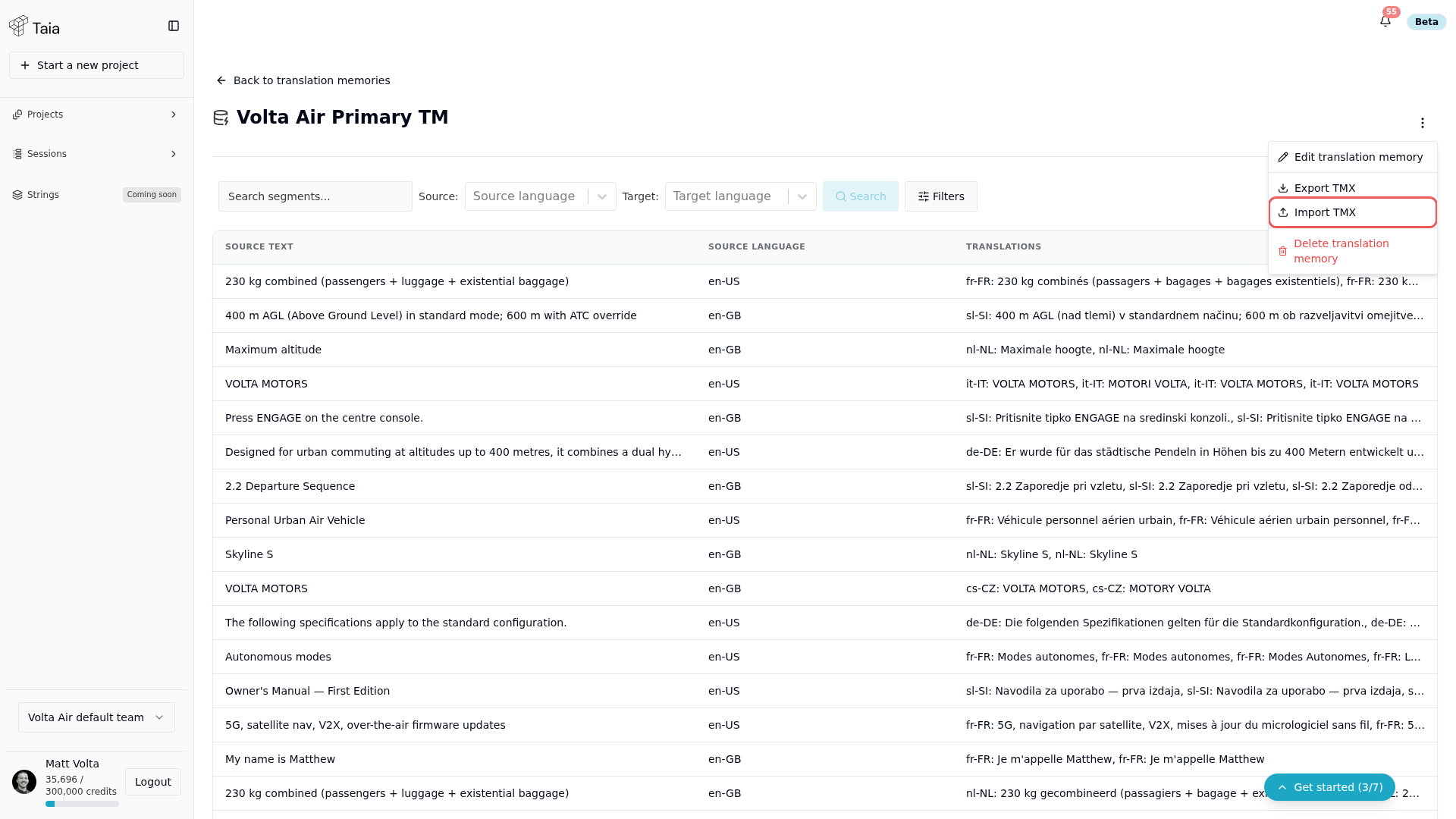
The import runs in the background. Depending on file size, it may take a few minutes. You'll see the segment count increase in the TM detail page once it's done.
Notes
- TMX files can contain multiple language pairs. Taia imports only the pairs that match your TM's configured languages.
- Duplicate segments (same source text, same target text) are skipped.
- If a source segment already exists with a different translation, the imported translation is added as a new variant.