Understand TM match scores
When Taia finds a similar segment in your Translation Memory, it assigns a match score (0–100%) that tells you how closely the stored translation matches the current segment. Higher scores mean less editing is needed.
Score ranges
The score compares the two sentences character by character, so a changed number or a different word ending costs a few points, and a rewritten sentence costs a lot.
| Score | Label | What it means |
|---|---|---|
| 100% | Exact match | The text is identical. Extra spaces are ignored |
| 95–99% | Near-exact match | A few characters differ, such as a number or an ending. A match that differs only in capital letters always shows as 99%, never 100%, so it can't be applied automatically |
| 75–94% | Fuzzy match | Word-level differences; requires review |
| Below 75% | Not suggested | The editor only shows Translation Memory matches of 75% and above |
There is also a special type of match called an in-project match: the same or similar text elsewhere in the same project. The editor lists these separately under In-project matches (60% and above, up to five), so they don't compete with your Translation Memory.
How match scores affect price
For Professional Translation orders, segments with high TM match scores cost less per word because the linguist has less work to do:
- 100% matches and repetitions are charged at a reduced rate
- Fuzzy matches (75–99%) are charged at a mid rate
- Below 75% and new text are charged at the full rate
The quote analysis splits the file into these bands (100%, 95–99%, 85–94%, 75–84%, 50–74% and new), so you can see them before you confirm an order.
Match scores in the CAT editor
In the CAT editor's Translation Memory sidebar, each suggested match shows its score as a badge. The badge and the card's edge are green for 100%, blue for 95% and above, and yellow for 75% and above.
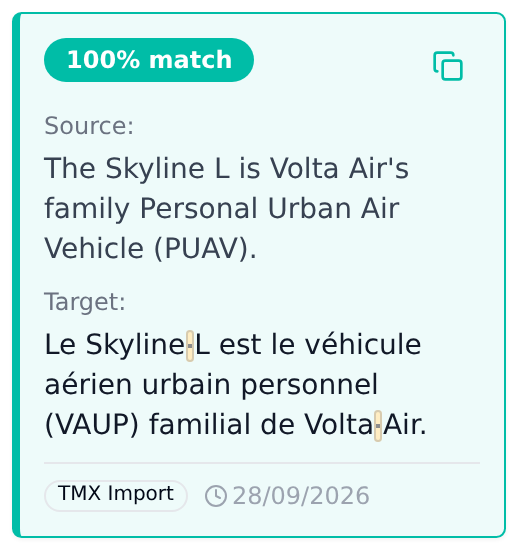
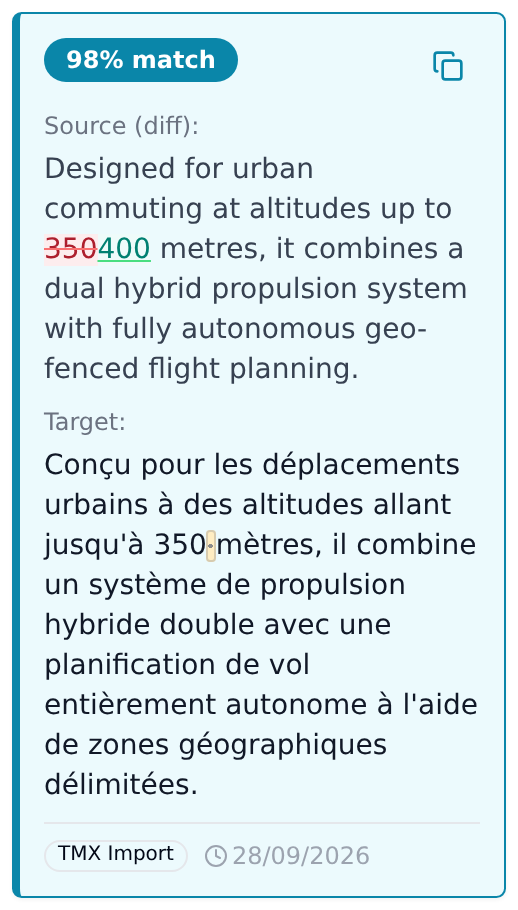
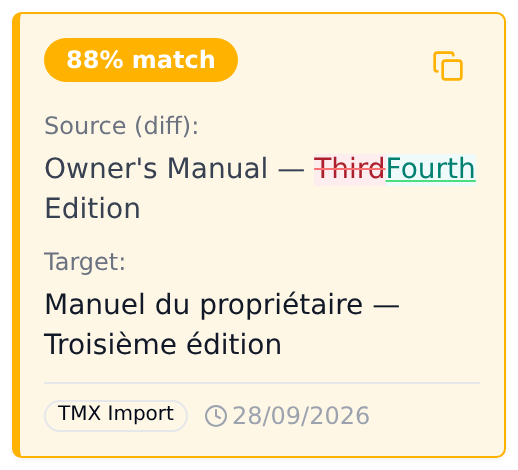
Lower than 100%, the card shows the source as a diff against your segment, so you can see exactly what changed. To use a match, click the copy icon on the card (its tooltip reads Insert translation), or press Ctrl+1, Ctrl+2 or Ctrl+3 for the first, second or third match. Then edit as needed.
See Use TM matches in the CAT editor for the full workflow.