Attach a Style Guide to a project
Attach a style guide to a project to ensure the AI translation follows your brand voice guidelines.
Prerequisites
- A style guide already exists. Don't have one? Create a Style Guide first.
- Your plan includes the style guide feature (Pro and Enterprise plans).
Steps
- Click Start a new project and choose File Translation, then upload your file and set the source and target languages.
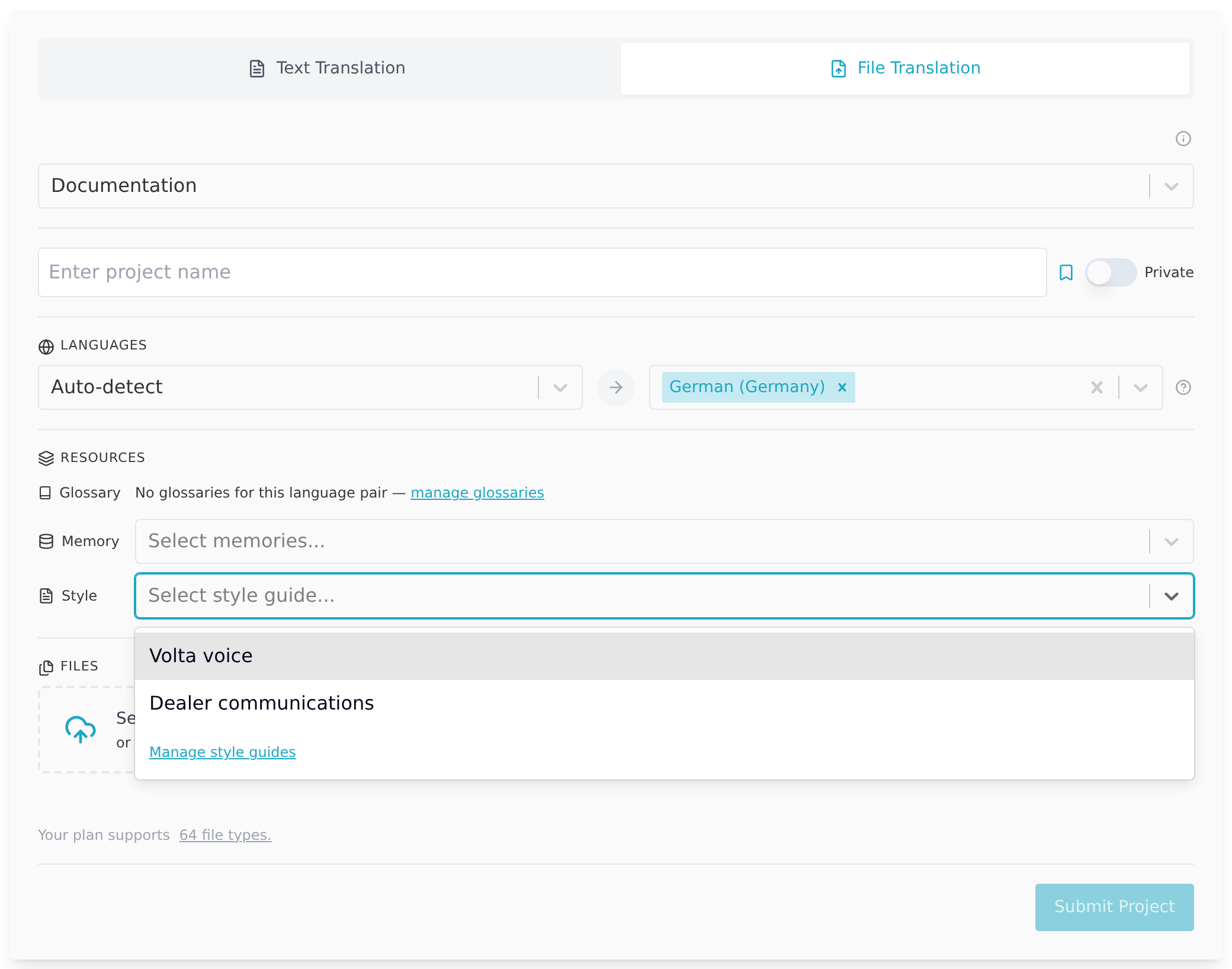
- The Style dropdown (placeholder "Select style guide...") appears under Resources, below the language selectors, if your plan includes this feature.
- Select the style guide to apply. You can attach one style guide per project.
- Click Submit Project.
During AI translation, Taia applies the style guide instructions when generating each segment.
Notes
- Style guides apply to AI translation only. Professional translation linguists are briefed separately through the messages feature.
- Only one style guide can be attached per project.