Choose which team a new project belongs to
There's no self-serve way to move an existing project to a different team — Taia has no move/transfer feature for projects. The team a project belongs to is set once, at creation time, from whichever team is active in the sidebar when you create it.
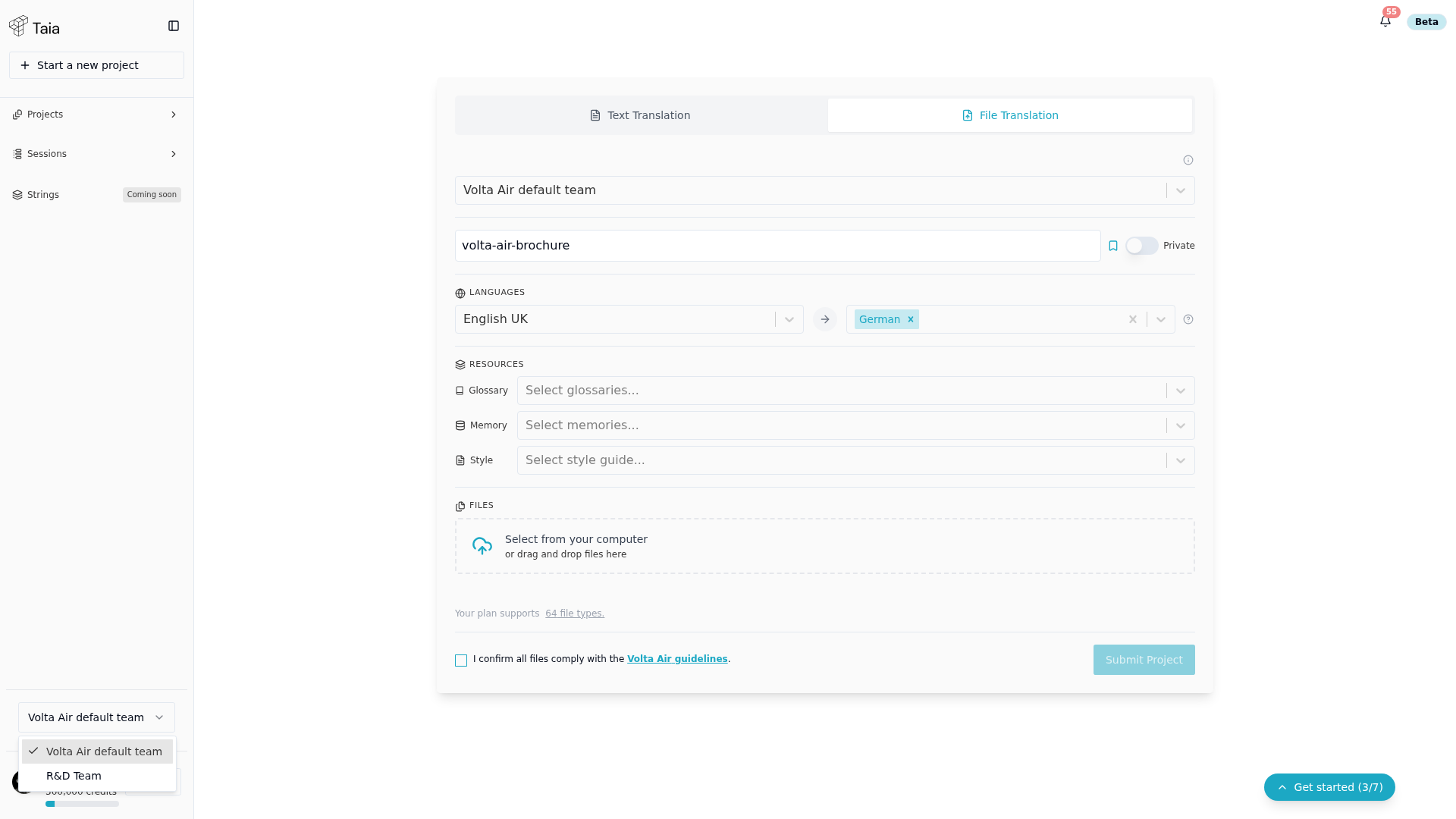
Set the active team before creating a project
- In the sidebar, click the team selector dropdown (below the project list).
- Choose the team whose subscription and shared resources should be used.
- The Home page now reflects that team's quota, glossaries, and TMs.
- Create the project as normal — it's now associated with that team.
If a project was created under the wrong team
There's no in-app fix for this. Contact Taia support with the project ID and the team it should belong to.